Migrating from VMware to Proxmox: Strategic and Operational Guide
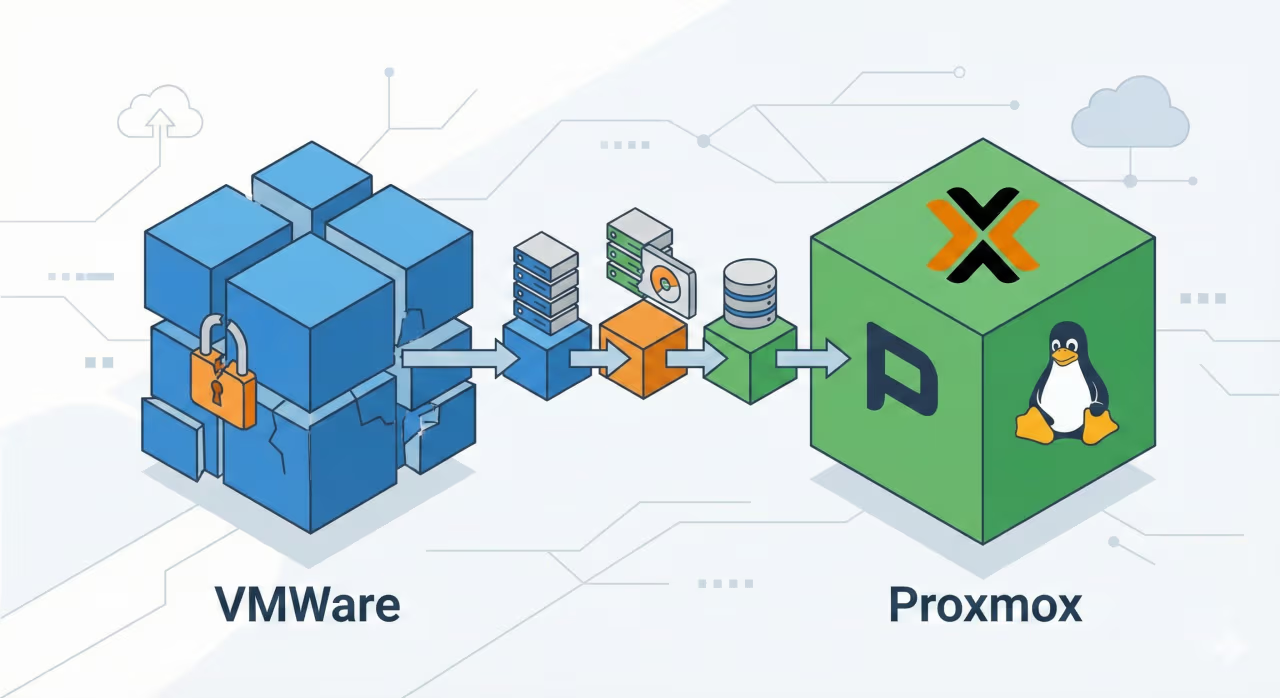
Summary: Following recent changes in licensing policies (with the acquisition by Broadcom), many companies are looking to migrate from VMware to Proxmox. This technical guide explores strategies, native tools, and best practices for safely navigating the transition, reducing infrastructure costs, and ensuring business continuity through an enterprise-grade open source architecture.
Article Highlights
- The Impact of Vendor Lock-in: Why switching to open source solutions is now a strategic and financial necessity.
- Business Continuity: Techniques to ensure a smooth and secure transition for critical services.
- Native Tools and CLI: Using new import wizards and advanced management of virtual disk formats.
- Answers to Common Questions: Targeted FAQs on performance and alternatives in the virtualization market.
Why look for open source alternatives to VMware ESXi / vSphere?
In recent years, and particularly with recent commercial changes, the virtualization market has undergone a profound shake-up. CTOs and IT managers are facing challenges related to license renewals and contractual rigidity. The search for viable open source alternatives to VMware ESXi / vSphere is no longer just an academic question, but a budgetary and strategic necessity.
Remaining tied to a proprietary ecosystem exposes companies to the impossibility of changing suppliers due to closed technologies. The answer to mitigating this risk lies in the design and creation of strictly agnostic and multi-cloud infrastructure solutions. Proxmox Virtual Environment (VE), based on Debian Linux and KVM, offers a complete enterprise virtualization platform, eliminating per-core or per-socket licensing and democratizing access to high-availability (HA) clusters.
How to migrate VMware virtual machines to Proxmox without downtime
One of the most paralyzing fears for C-Level executives is the fear of service interruptions during the technology transition. For mission-critical workloads, it is essential to plan how to migrate VMware virtual machines to Proxmox without downtime (or with maintenance windows reduced to a few seconds).
Our methodology is based on a carefully designed transition. We handle zero-downtime migrations from on-premises environments to private or public clouds (and vice versa). This is achieved through:
- Preliminary data synchronization via rsync or shared storage (SAN/NAS).
- Use of incremental snapshots to align VM states.
- Pre-provisioning of resources (CPU, RAM, bridge interfaces) on the destination Proxmox node.
- Planned network switchover at the DNS or load balancer level (e.g., via Cloudflare or NginX).
Tools: Proxmox Import Wizard VMware and OVF/OVA conversions
At the operational level, extracting and adapting virtual disks is at the heart of the process. Proxmox has greatly simplified this step by introducing native tools, but knowing the command line methods remains essential for troubleshooting.
The Proxmox Import Wizard VMware: Automation and Live Import
Starting with the latest versions (8.1 onwards), the ecosystem has revolutionized the approach to transition by natively introducing the Proxmox VMware import wizard. This tool has drastically lowered the technical barrier to entry, allowing IT teams to manage complex transitions directly from the graphical interface (Web GUI), without having to resort to laborious manual scripts or offline conversions.
But how does it work in practice? The system uses a dedicated storage plugin that interfaces directly with the vCenter or individual ESXi host APIs. Here are the key steps and operational benefits of this approach:
- Direct API Integration: By adding the VMware host as a kind of "Storage" within the Proxmox datacenter, the wizard is able to read the entire inventory of source virtual machines, allowing you to select the workloads to be migrated with surgical precision.
- Automatic Hardware Mapping: During setup, the wizard automatically translates the virtual hardware (CPU, RAM, SCSI/SATA controllers) and provides an interface to map the old networks (VMware vSwitches) to the new Proxmox Linux bridges. At the same time, it converts old disks (VMDK) by writing them directly to new datastores (such as ZFS, Ceph, or LVM).
- Live Import Feature (Downtime Reduction): This is the real killer feature for enterprise architectures. Proxmox allows you to start the virtual machine on the new node while data is still being read and copied in the background from the source VMware host. This technology brilliantly solves the problem of prolonged downtime and eliminates the need for exhausting nightly maintenance windows.
Technical note for system administrators: For the native wizard to work properly, it is imperative that the source ESXi host has unlocked APIs (the historical "ESXi Free" licenses, for example, limit read access via APIs) and that there is perfect latency and reachability between the two clusters. Since moving terabytes of data can saturate links, we always recommend supporting the operation with network monitoring systems to prevent bottlenecks on the corporate network during the transition.
Convert OVA/OVF files for Proxmox VE
When the API is not an option (e.g., disconnected ESXi hosts or archived backups), you need to export the VMs and convert OVA/OVF files for Proxmox VE. The classic approach requires:
- Exporting the VM from VMware in OVF/OVA format.
- Extracting the `.ova` archive (which is actually a TAR archive).
- Importing the configuration file and converting the VMDK disk to QCOW2 (or ZFS/LVM) using the command
qm importovfand tools such asqemu-img.
| Migration Method | Advantages | Ideal Use Cases |
|---|---|---|
| Native Import Wizard | Extremely fast, intuitive graphical interface, automatically maps virtual hardware. | Active and reachable clusters, massive batch migrations. |
CLI (qm importovf / OVA) | Granular control, independent of the status of the source VMware host. | Isolated infrastructures, import from old offline backups, extreme customizations. |
Avoid bottlenecks and operational disruptions. Trust our experts to design, test, and execute the transition of your virtual infrastructure, ensuring security and performance from day one.
Scalability, FinOps, and Post-Migration Optimization
Migrating the hypervisor is only the first step. The ultimate goal of this operation is to address the uncontrolled explosion of monthly infrastructure costs, the classic "explosive cloud bills." Through careful FinOps analysis, we guarantee a drastic reduction in costs through optimization or migration to high-performance providers with predictable costs.
Furthermore, abandoning vSphere allows us to rethink network and application design. We solve the problem of business growth slowed down by bottlenecks or fragile architectures by focusing on the design of highly scalable, inherently secure, and perfectly optimized IT infrastructures. Integrating LXC containers (native to Proxmox), Docker, and automated orchestrators with Ansible transforms a traditional cluster into a truly agile and modern Private Cloud.
FAQ - Frequently Asked Questions
What is the best alternative to VMware vSphere?
Currently, Proxmox VE is one of the most robust solutions, thanks to its Debian base, native support for virtual machines (KVM) and containers (LXC), integrated ZFS file system, and no binding license costs. Other valid alternatives, depending on the use case, include XCP-ng and OpenStack-based solutions.
Are virtual machines slow after migrating to Proxmox?
Absolutely not. Proxmox uses KVM (Kernel-based Virtual Machine), a native Linux kernel module that transforms the host into a type 1 bare-metal hypervisor, offering performance virtually identical to that of physical hardware. Any post-migration slowdowns are often due to the failure to install VirtIO drivers (for disks and network) within the guest operating system, an optimization step that we routinely perform on migrated Ubuntu, CentOS, and Red Hat systems.